
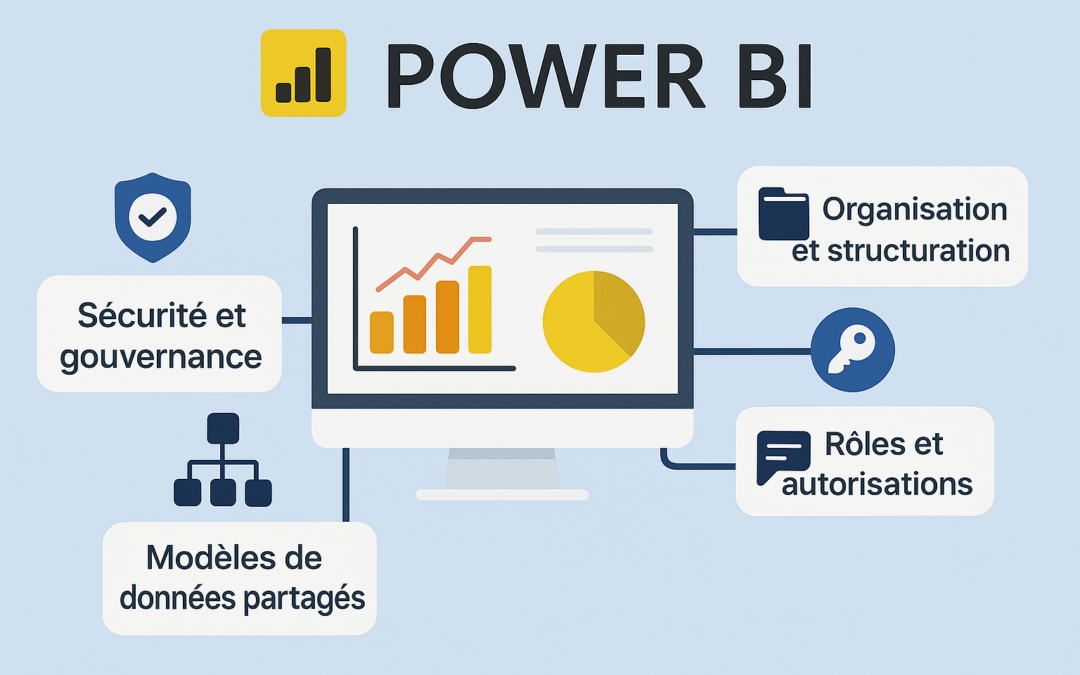
Good management ofPower BI workspaces is a central element in any BI self-service environment. These workspaces enable teams to collaborate effectively, while ensuring data security and governance.
Without a clear structure, Workspaces can quickly become a source of confusion: duplication of reports, uncontrolled access, complex maintenance...
In this article, we present best practices for structuring, securing and optimizing your Power BI Workspaces, while ensuring a balance between user autonomy and IT control.
1. What is a Workspace in Power BI?
A Power BI Workspace is a collaborative space designed to enable teams to :
-
Create and share reports and dashboards,
-
Manage access via roles and permissions,
-
Publish standardized, reusable datasets.
There are two types of Workspaces:
-
My Workspace: personal use, limited in terms of sharing and governance.
-
Collaborative workspaces: team spaces dedicated to sharing and collaborating on reports and datasets.
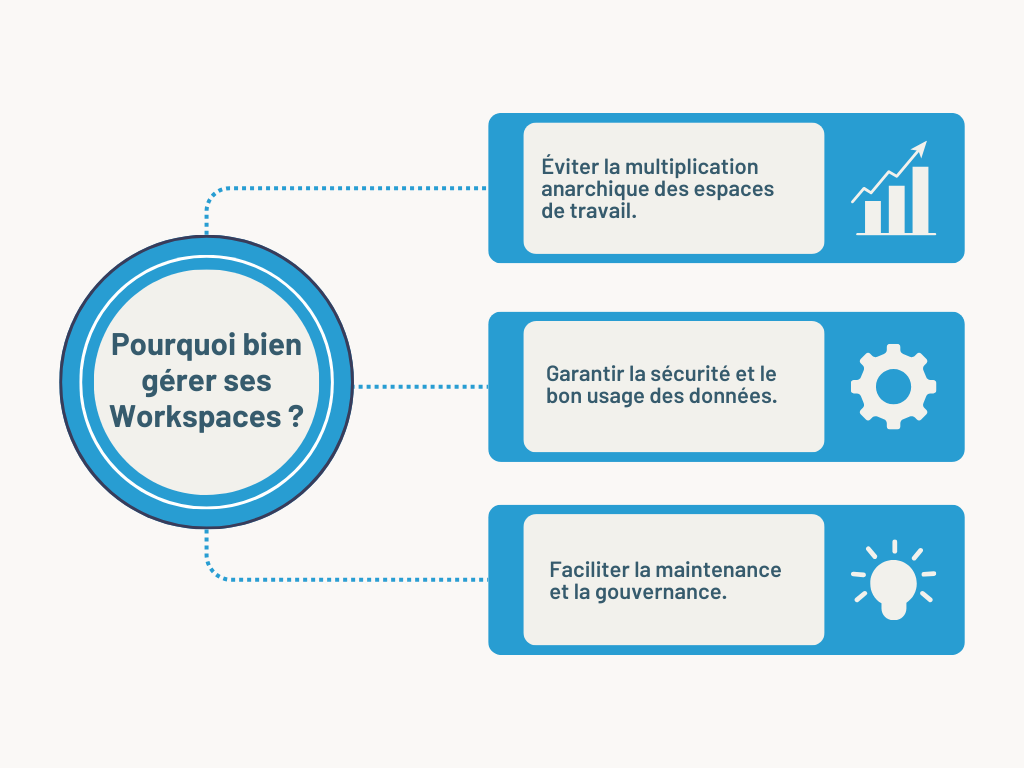
The image illustrates the 3 main reasons to manage your Power BI Workspaces.
2. Workspace organization and structuring
For efficient management, it is essential to structure workspaces according to a coherent logic, for example :
-
By business area: Finance, HR, Marketing, Sales ...
-
By environment: Development, Test, Production.
-
By strategic project: A dedicated Workspace for each project.
| Workspace | Objective |
|---|---|
| Finance - Prod | Centralized financial reports shared with management. |
| Finance - Dev | Workspace for designing and testing reports before publication. |
| Sales - Europe | Reports dedicated to sales performance in Europe. |
3. Defining roles and permissions in Power BI
| Role | Permissions |
|---|---|
| Admin | Complete Workspace management (add/remove users, modify settings). |
| Member | Can modify datasets and reports. |
| Contributor | Can publish and modify reports, but does not manage access. |
| Player | Can only view reports and dashboards. |
-
Restrict Admin roles to data managers,
-
Assign roles according to real needs to avoid unwanted actions,
-
Use Row-Level Security (RLS ) to filter sensitive data by user.
4. Centralize shared data models
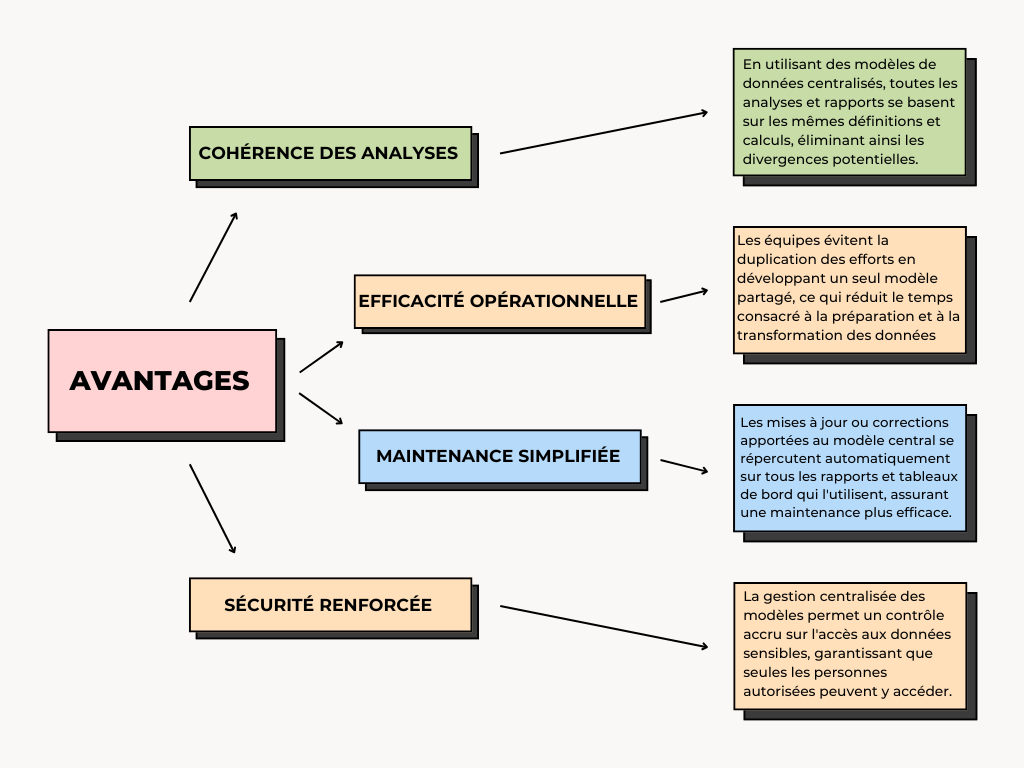
This image shows the main advantages of a centralized data model in Power BI.
➠ Implementing centralization with Power BI
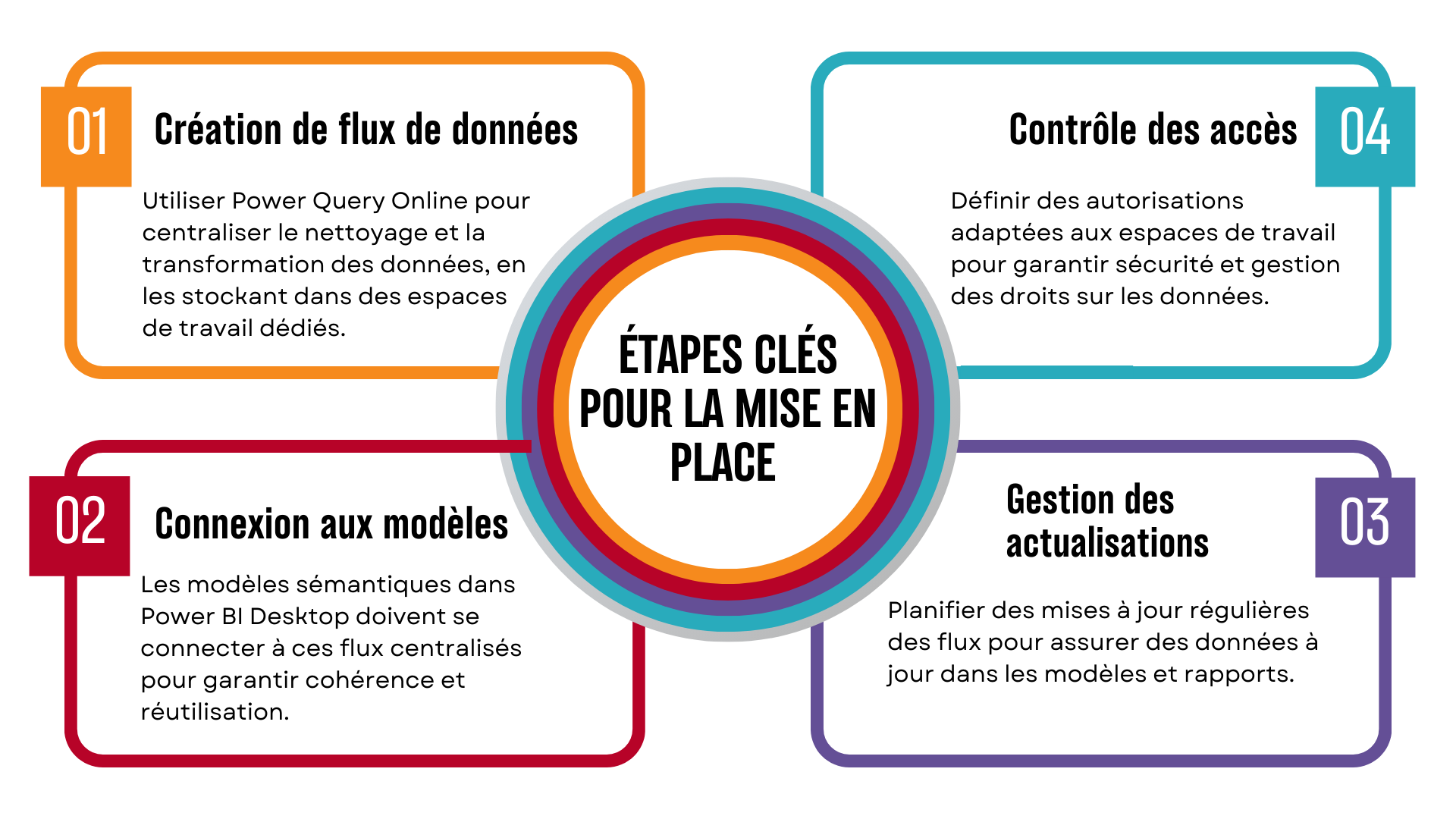
The 4 key steps to effective data management in Power BI.
5. Facilitate model discovery and reuse
Once shared models have been centralized, it's important to make them accessible to business users. Here are a few concrete actions:
-
Create a dataset catalog: a centralized list with clear descriptions helps users understand the nature and use of each dataset.
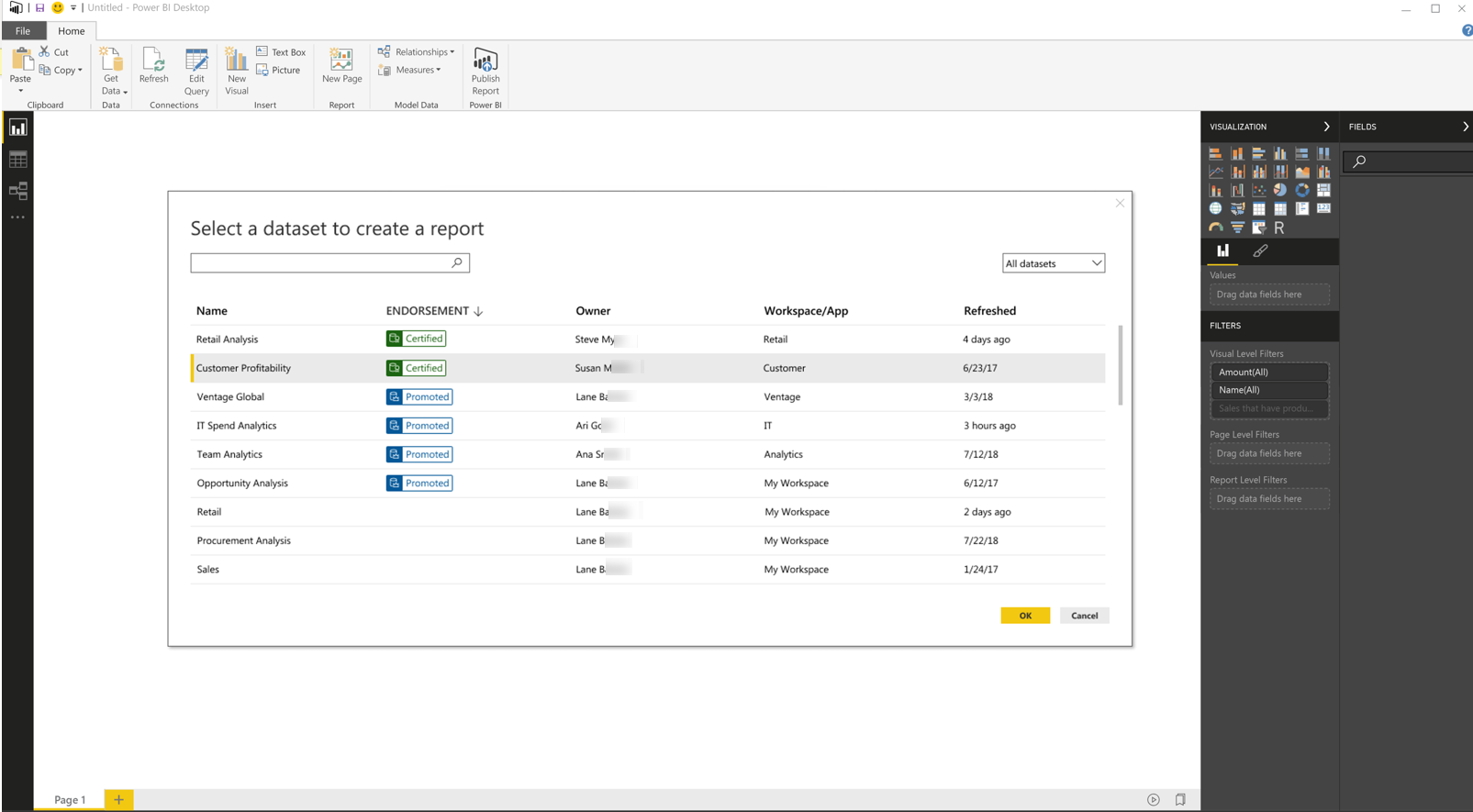
Dataset catalog view in Power BI, with information on usage, endorsement and owner.
-
Facilitate exploration: set up filters, tags or categories, enabling business analysts to easily search and explore existing models.
-
Standardize metadata: uniform names, clear descriptions for each column or measure.
-
Train users: offer guides, training courses or use Power BI Apps to centralize access.
6. Workspace security and governance in Power BI
➠ Avoid using "My Workspace" for collaborative reports
➠ Restrict access to sensitive workspaces using Azure AD Security Groups
Steps to take to restrict access :
- Log in to the Power Platform administration center.
- Select an environment, then select Settings>Users + permissions>Teams.
- Select + Create a team.
- Enter the following information:
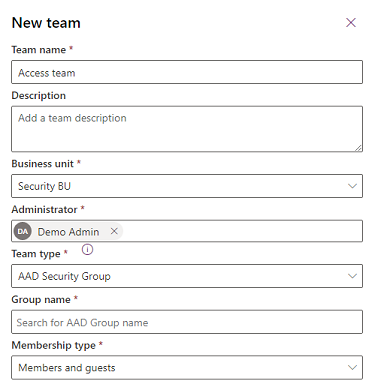
Team creation form in the Power Platform administration center to restrict access.
➠ Enable multi-factor authentication to protect access to critical reports
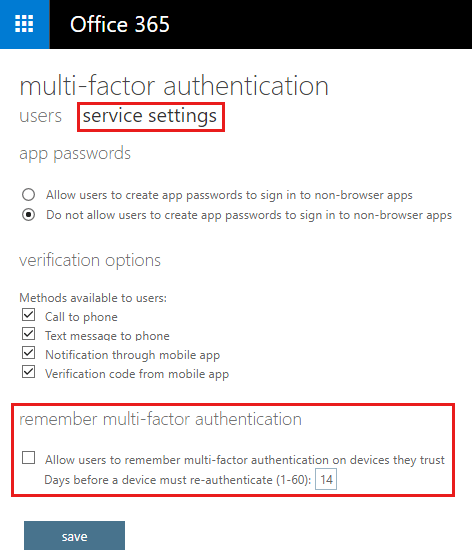
Configuration parameters for multi-factor authentication (MFA) in Office 365.
Conclusion: More structured and secure BI
Adopting rigorous workspace management in Power BI enables companies to :
-
Efficient data organization,
-
Secure access and guarantee compliance,
-
Avoid redundancy and optimize performance,
-
Promote model reuse to save time and improve analytical quality.
Thanks to these best practices, IT and business teams can work together more serenely, within a controlled, efficiency-oriented framework.